Challenge
Teams needed private conversations within shared rooms, with clear audio transitions, access rules, and ownership.
SpatialChat is a global collaboration platform used by 6M+ people across 200+ countries.
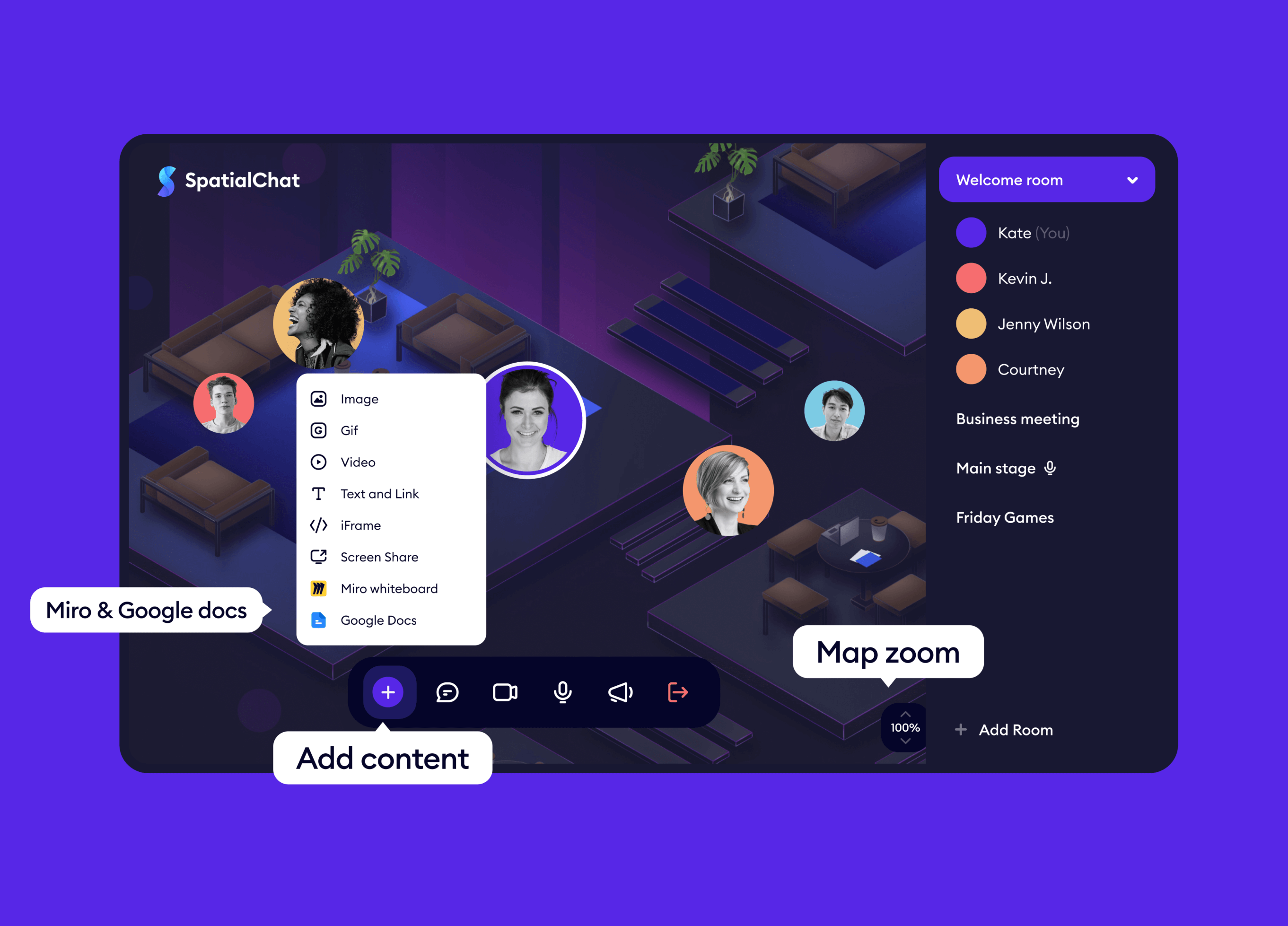
Teams needed private conversations within shared rooms, with clear audio transitions, access rules, and ownership.
I led Private Areas from research and interaction design through prototyping, testing, components, and implementation support.
I designed lightweight zones with visible boundaries, predictable audio, and role-based access.
Focused conversations stayed within the shared spatial experience.
SpatialChat supports open movement and spontaneous conversations.
Crowded spaces needed private discussions, workshops, and focused group work.
Moving to separate rooms would break the shared experience. The question became:
How can we add privacy without breaking the spatial experience?
Two user roles:
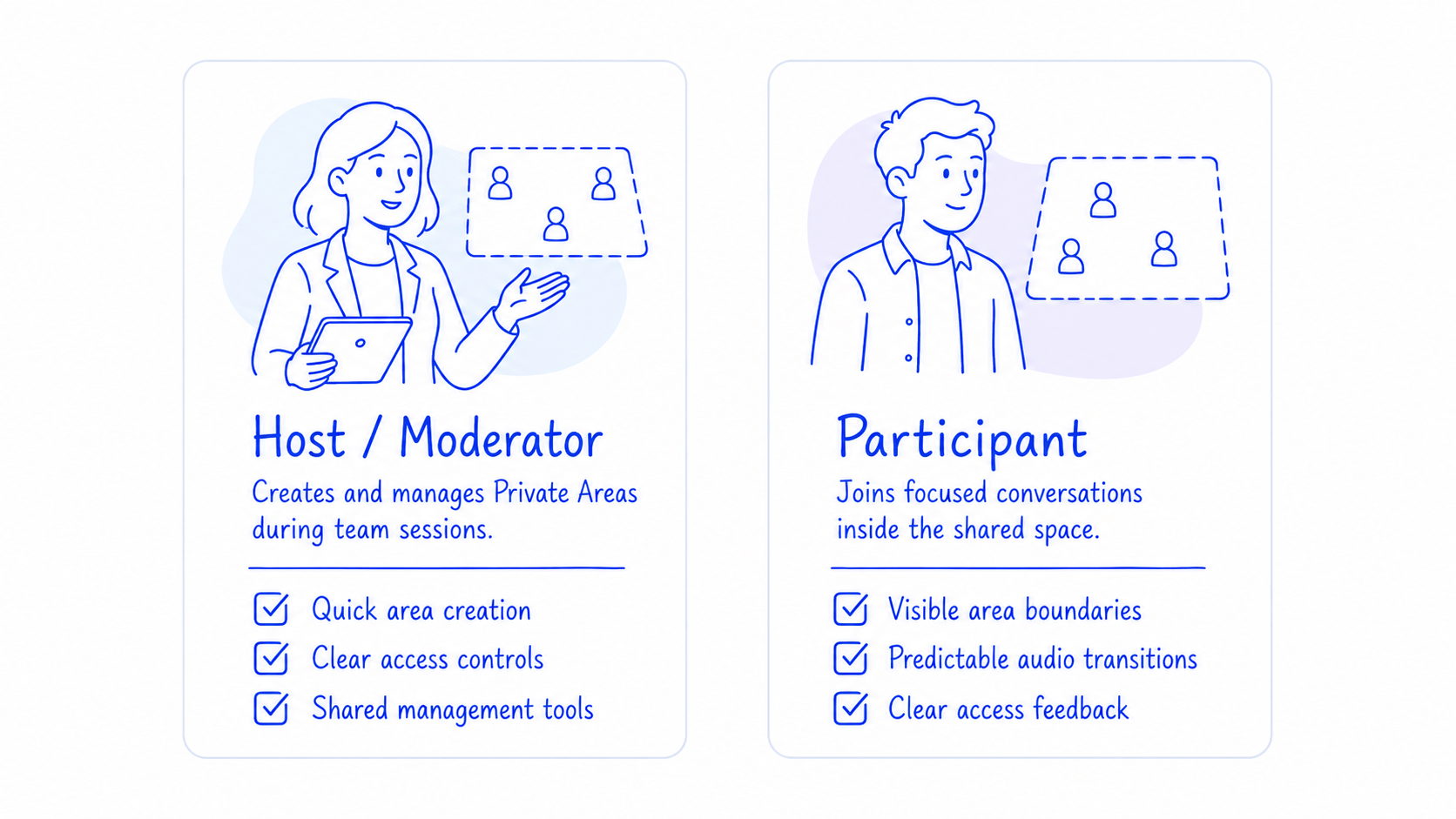
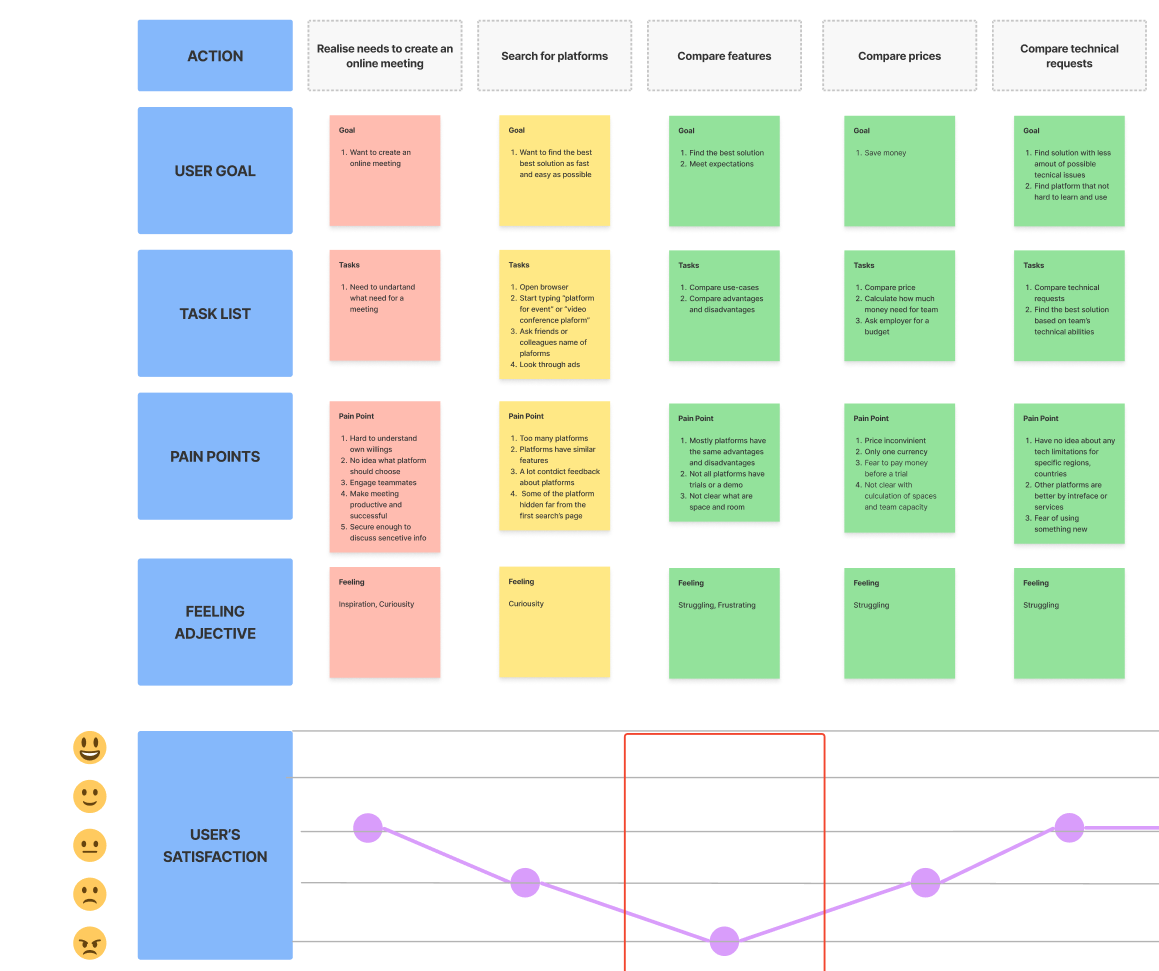
Journey mapping revealed three moments needing clarity:
These shaped the solution.
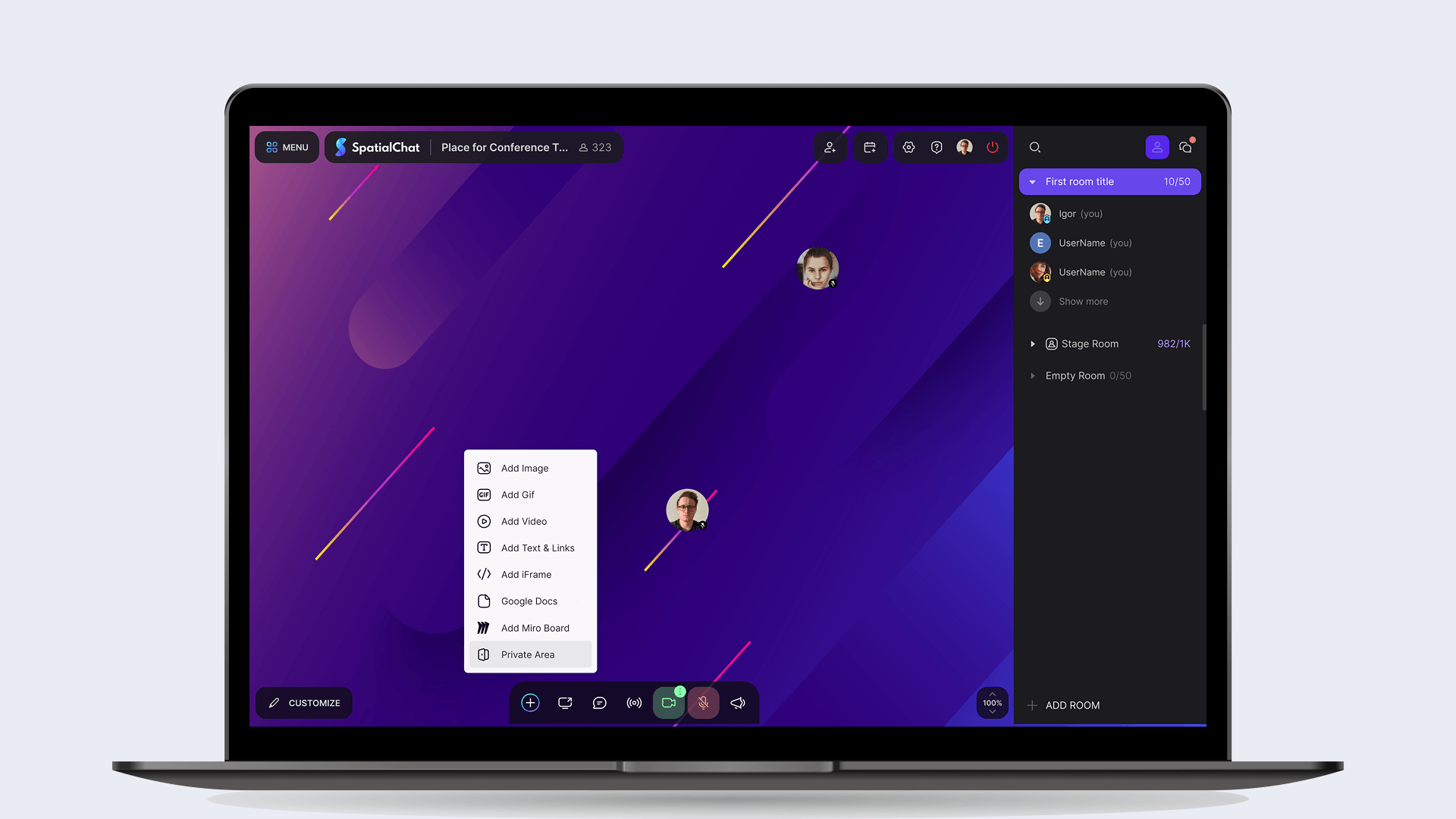
I designed Private Areas as lightweight zones inside existing rooms. Users can create, enter, and manage focused conversations without leaving the shared environment. The zones needed to feel present and recognizable without visually dominating the room.
Boundaries, labels, and transition feedback distinguish shared from private conversations.
Visible without dominating the room.
Immediate feedback on audio changes.
Distinct open, restricted, and locked states.
A shared area could not depend entirely on its original creator. Role-based controls let authorized team members change access settings or remove an area, keeping management collaborative while respecting permissions.
Creators and authorized admins manage areas.
Actions match the user's role.
Deletion explains impact and requires confirmation.
Private Areas preserve the room's spatial behavior.
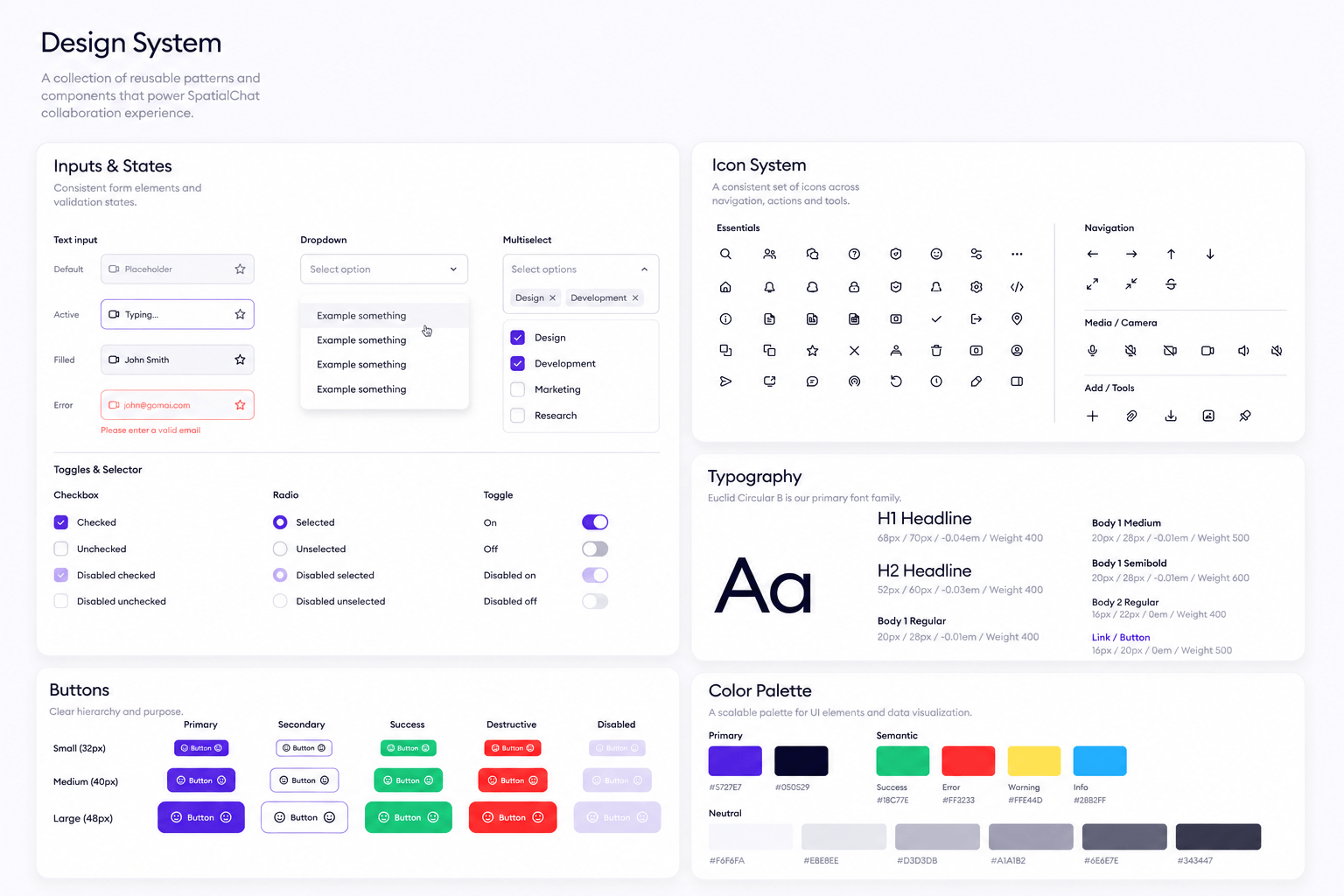
The design system gained patterns for:
Shared patterns keep Private Areas consistent and support future collaboration features.
Prototype reviews and in-room playtests revealed issues through movement that static screens missed.
Some users missed audio changes on entry.
I strengthened boundaries and entry feedback.
Restricted and open areas looked alike.
I clarified labels, locks, and access feedback.
Users expected admins to manage others' areas.
I added role-based editing and deletion.
The hardest part was making invisible behavior — audio context, privacy, access, and ownership — feel visible and predictable. The project showed me that clear system feedback is as important as the interface in real-time collaboration.
Good spatial interaction design makes invisible system behavior feel visible and trustworthy.
I also simplified invitations so hosts could bring people into rooms more easily.
The flow supports:
shareable links
email invitations
invitation status tracking
resend and management actions
I connected room selection with Google Calendar so hosts could schedule meetings without moving between disconnected tools. The chosen room and session details remain visible throughout the flow.
A unified add-content flow gives files, notes, media, and external tools one predictable entry point.
+12% satisfaction & retention
90% positive feedback
+15% interaction
#1Product of the Day
6M+Loved by Users Worldwide
Valeriia Bulgakova · © 2026